Why Google Photos Uses CSS Translate Instead of Top/Left Insets for Positioning
14/2/2026 •187 views •9 min read
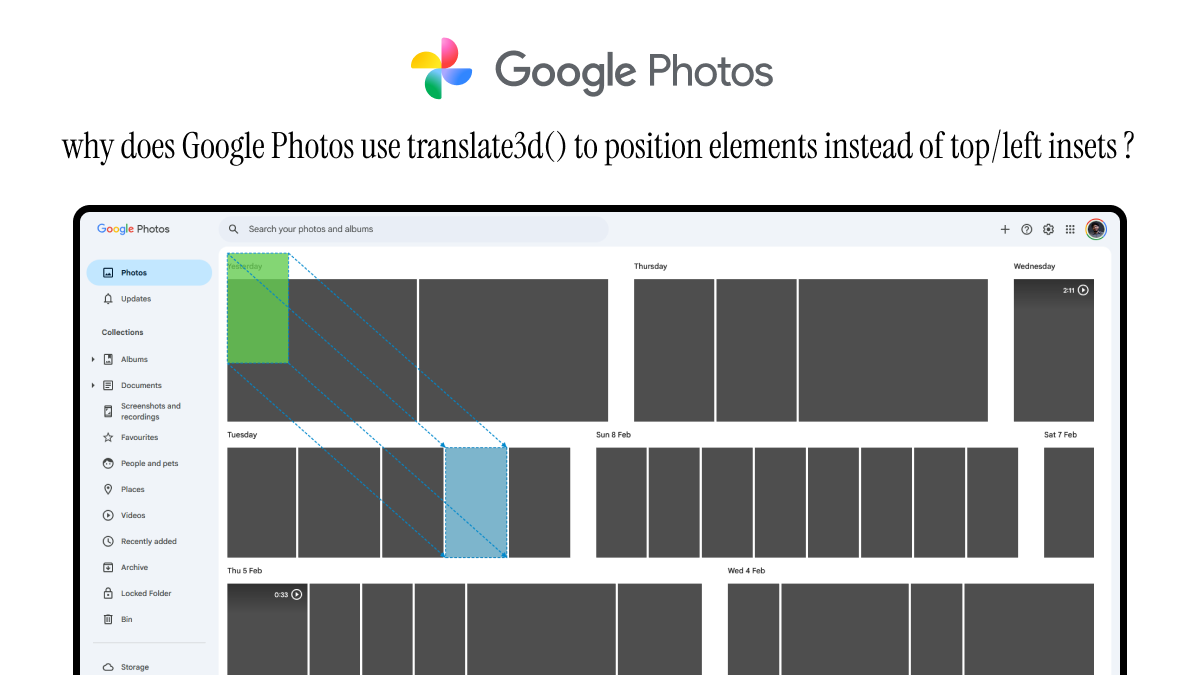
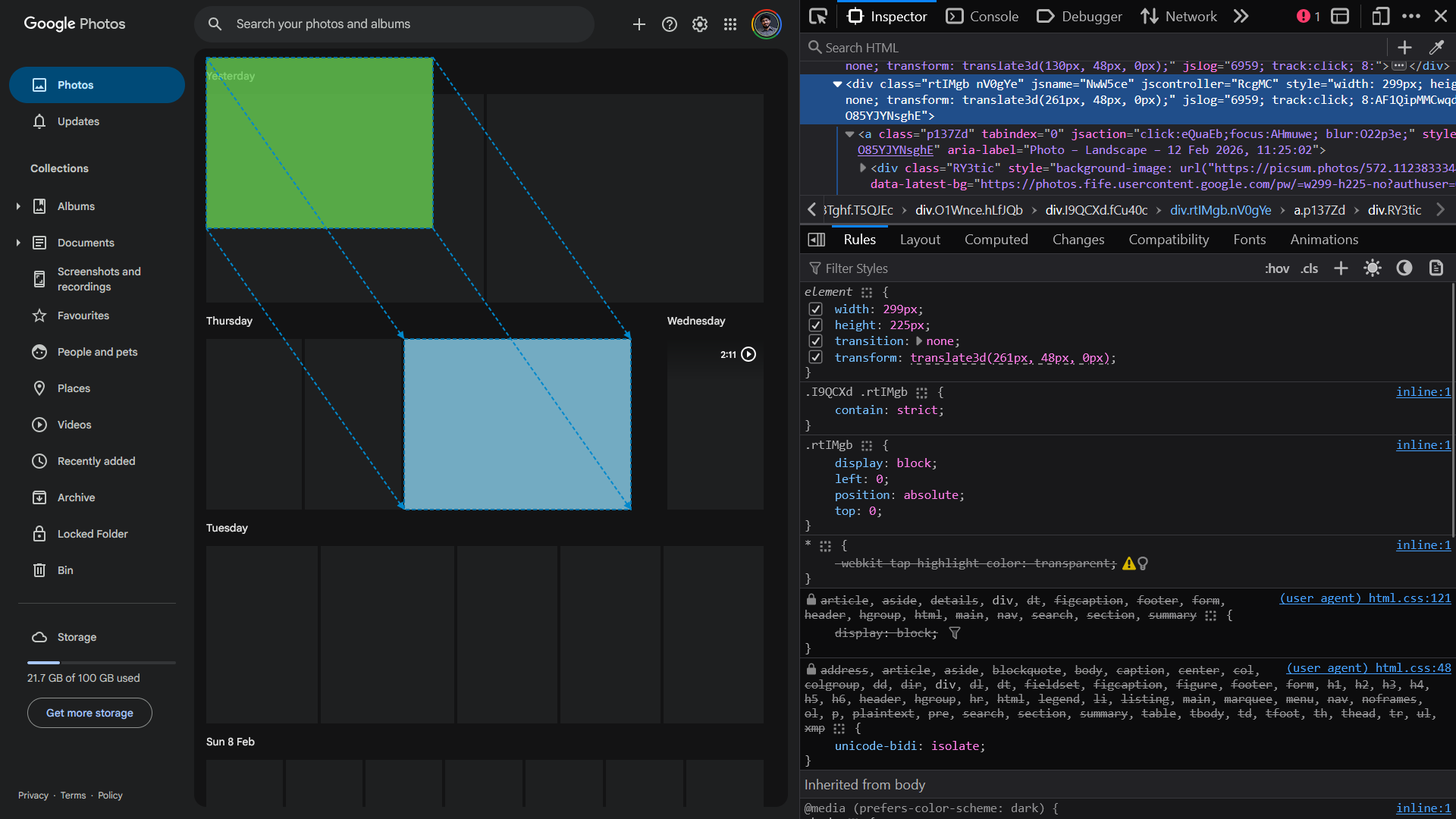
I have been learning frontend system design by reverse engineering real products, and Google Photos was my first deep dive. One thing that stood out immediately was how they position thousands of thumbnail images in their grid. Instead of using top and left and other inset properties, they rely heavily on transform: translate3d(x, y, 0).
At first, this felt odd. Why would you use transforms for static positioning? Aren't transforms for animations and movement? The answer lies in understanding the browser rendering pipeline and the performance trade-offs involved.
The Browser Rendering Pipeline
When the browser renders a frame, it typically goes through these stages:
- JavaScript: your code runs (event handlers,
requestAnimationFrame, etc.) - Style: the browser computes which CSS rules apply to each element
- Layout: the browser calculates the size and position of each element (geometry)
- Paint: the browser turns those boxes into pixels (backgrounds, text, borders, images)
- Composite: the browser assembles painted layers into the final frame you see
Not every change triggers every stage. The key difference between inset offsets and transform: translate() is which stages they force the browser to run.

Why inset offsets can be expensive
When you use inset offsets like top and left to position an element (assuming it is positioned with absolute, relative, or fixed), you are changing the element's layout geometry. That means the browser often has to run the Layout stage again to figure out where everything should be, and then repaint affected areas.
If you are moving hundreds of thumbnails during scroll or zoom, doing layout work every frame can cause jank and dropped frames because layout runs on the main thread and blocks JavaScript execution.
Why Transform: Translate Is Faster
transform: translate(x, y) does not change the element's layout box. The browser computes layout once (where the "reserved seat" is), and then it applies the transform visually during the Composite stage.
Because compositing can often happen on a separate compositor thread (sometimes GPU-accelerated), updating transforms can be much cheaper than triggering layout and paint repeatedly.
This is why transform is the go-to property for animations and frequent repositioning. It skips the expensive layout and paint steps in many cases.
What Does "Layout Space vs Visual Space" Actually Mean?
This was the concept that finally clicked for me.
When you use top/left, you are changing where the browser thinks the element's box is during layout. If you move element A with top/left, other elements might reflow around it (depending on positioning context).
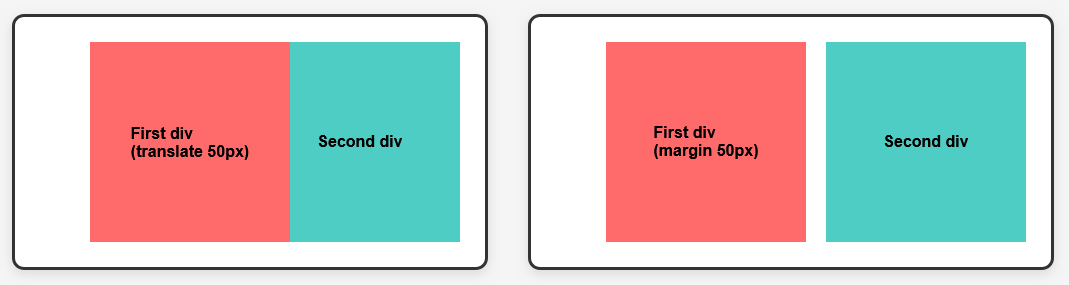
When you use transform: translate(), you are keeping the layout box in the same place, but rendering the pixels somewhere else. That is why translated elements can overlap siblings without pushing them away. The layout "seat" stays reserved in the original spot, but the element is drawn offset from there.
A quick way to test this: put two inline-block divs side by side. Apply transform: translateX(50px) to the first one and it will overlap the second. Apply margin-left: 50px instead and the second will get pushed because layout space changed.
So Why Does Google Photos Use Translate for "Static" Images?
Google Photos is not actually static. Here is what is happening behind the scenes:
- Scrolling: as you scroll, the positions of visible tiles may need to shift (especially during smooth scroll or inertial scrolling).
- Virtualization: Google Photos only renders the thumbnails that are in or near the viewport. As you scroll, new DOM nodes are created for newly visible items, and old ones are destroyed. Each visible thumbnail still needs to be positioned at its correct x/y coordinate in the grid.
- Zoom and density changes: Google Photos lets you change the grid density (number of columns). When that happens, every thumbnail needs to move to a new position.
- Responsive layout: as the window resizes or the device orientation changes, the grid reflows and tiles move.
All of these interactions involve repositioning many elements frequently. Using transform: translate3d(x, y, 0) for that positioning keeps those updates smooth because they can often bypass layout and paint work.
Even in a virtualized list where nodes are being created and destroyed, you still need to position each visible node. Using transforms for that initial placement and any subsequent adjustments is cheaper than using top/left.
The Trade-Offs: Memory and Complexity
Using transforms is not free. There are trade-offs you need to be aware of:
- Increased memory usage: transforms can promote elements to their own composited layers, which are stored as textures (often in GPU memory). For a grid with hundreds of visible tiles, this can add up.
- Layer management overhead: the browser has to manage those layers, which has CPU and GPU cost. Too many layers can hurt performance instead of helping it.
- Stacking context issues: transforms create a new stacking context, which can affect
z-index, fixed-position children, and overlays. This can complicate your CSS architecture. - Layout doesn't update: since transforms do not change layout, overlaps can happen. If you want siblings to reflow around a moved element, you need layout-based positioning instead.
For Google Photos, the memory and layer overhead is worth it because the smoothness gains are significant for a highly interactive, scroll-heavy UI with thousands of items.
When Should You Use Top/Left vs Translate?
Here is a simple rule:
- Use
top/left(or normal layout like flexbox/grid) when you want to define layout position, siblings should reflow around changes, and you are not updating positions every frame. - Use
transform: translate(...)when you are moving elements frequently (animations, drag, scroll positioning, interactive transforms), and you want smoothness without triggering layout and paint repeatedly.
Could Google Photos Have Used Top/Left Instead?
Yes, technically. But the performance and frame rate loss would have been noticeable, especially on lower-end devices. Smooth 60fps scrolling with hundreds of thumbnails updating position is hard to achieve if you trigger layout work every frame.
Using transforms is a deliberate architectural choice that prioritizes interaction smoothness over simplicity and memory efficiency.
My Takeaway
The key insight for me was understanding that top/left and transform: translate() are not just two ways to do the same thing. They operate at different stages of the rendering pipeline and have very different performance characteristics.
For highly interactive UIs (photo grids, drag-and-drop, smooth scroll experiences), treating transform as the default tool for movement makes sense. For more static layouts where you want layout to be the source of truth, stick with layout-based positioning.
If you are building a similar system, profile it. Use the Performance tab and Layers panel in DevTools to see which approach works better for your specific case. Do not just copy patterns blindly.